SASBSG


Self-Assessment Registration: A Step-by-Step Guide

Got some extra cash coming in from freelancing, renting a place, or maybe a fun little side job? Then you might need to sign up for Self Assessment with HMRC. This process guarantees that you pay the right amount of tax, declare all of your income, and follow HMRC regulations.

Signing up isn’t as scary as it sounds, but you’ve got to pay attention and do it on time. Getting it done early can save you from late fees, panicky moments, and a messy pile of papers.

This guide will show you how to sign up for Self Assessment, when to do it, and what to expect after registration. In this way, you can avoid those typical tax blunders and manage your taxes without stress.

What is HMRC Self Assessment?

For individuals and businesses whose taxes aren’t automatically deducted through PAYE, the HMRC (HM Revenue & Customs) uses the HMRC Self Assessment system to collect income tax. You must use Self Assessment to report your income and determine your tax liability if you work for yourself, own property, make investments, or receive income from any other source besides your regular job.

You must declare your earnings, claim allowable expenses, and file a tax return, typically once a year, rather than having HMRC do it for you. After you file your return, HMRC checks the data, verifies the amount of tax or National Insurance you owe, and gives you the due dates.

In summary, self-assessment guarantees that all individuals pay the appropriate taxes on their non-traditional income.

Step 1: Check if You Need to Register

Verify whether you really need to register for Self Assessment before you start. You can quickly find out based on the type and amount of your income using an online tool provided by HMRC.

You must register if:

• As a sole proprietor, your earnings have exceeded £1,000.
You make money from renting out your property.
• You have dividends, investments, or savings that are not subject to source taxation.
• You are either a partner or a director.

Seeking guidance from a qualified accountant is worthwhile if you have multiple sources of income or are unsure of your current circumstances. They can assist you in determining whether registration is necessary and ensure that your taxes are processed accurately right away.

Step 2: Gather the Required Information

Having all the information you need on hand is crucial before you begin the Self Assessment registration process. By doing this, you can finish the process faster and without delays.

You’ll need:

• National Insurance number
• Full name, address, and contact details
• Date of birth
• Business name and type (if self-employed)
• Unique Taxpayer Reference (UTR) if you’ve filed before

By organising these details beforehand, you can minimise the possibility of submission errors and ensure a seamless registration process.

Step 3: Create or Log In to Your Government Gateway Account

You must have a Government Gateway account to use HMRC’s online services. Here’s how to set it up:

• Visit HMRC’s official login page.

• If you already have an account, log in with your current information.

• If not, register using your email address and provide identification to create a new account.

• When your account is prepared, you can use the portal to check deadlines, file tax returns, and make payments.

Setting up your account in advance will help you stay organised and reduce stress when it comes time to file your return.

Step 4: Register for Self Assessment Online

As soon as your Government Gateway account is prepared, you must sign up for Self Assessment. The registration method depends on your situation:

• If you’re self-employed or a sole trader: Register online through the official Self-Employed Registration page.

• If you’re not self-employed (for example, you earn income from property, savings, or investments):
Complete and submit Form SA1.

• If you’re part of a partnership: Use Form SA400 to register your partnership with HMRC.

Following registration, a Unique Taxpayer Reference (UTR) will be mailed to you by HMRC. Typically, it comes in 10 working days (or 21 days if you’re overseas).

Your 10-digit UTR serves as your permanent tax ID and needs to be used on all upcoming tax returns and correspondence. Maintaining its security and accessibility will simplify future procedures, such as submitting your self-assessment return or paying income taxes.


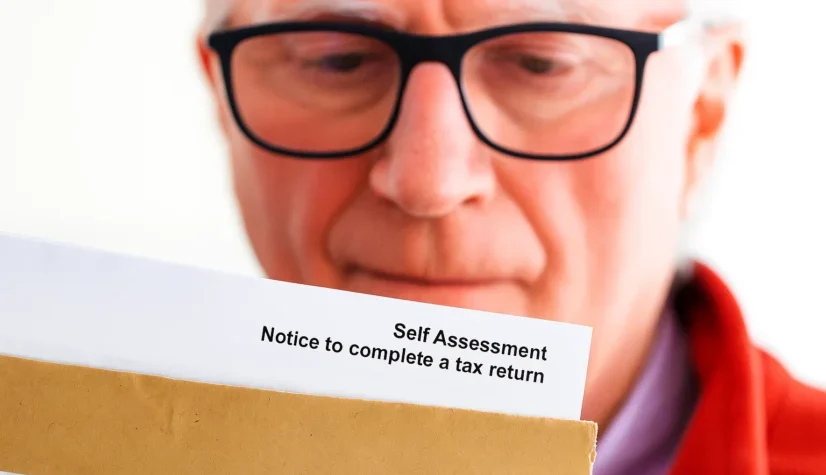
 
Step 5: Activate Your Online Account

HMRC will send an activation code to your registered address once you have your Unique Taxpayer Reference (UTR).

Once it arrives:

• Open your Government Gateway account and log in.
• To validate your identity and activate your Self Assessment account, enter the activation code.
• After activation, you’ll gain full access to your online tax dashboard, where you can:
• File your Self Assessment returns.
• Track your payment history.
• View upcoming tax deadlines.

Maintaining an active account and checking it frequently will help you stay on top of due dates and prevent late submission penalties.

Step 6: Understand the Key Deadlines

One of the primary causes of HMRC penalties is missing deadlines, so it’s critical to keep up with them.
Key dates you need to know (HMRC Official Guidance).

Register for Self Assessment
5 October, after the end of the tax year
Submit paper tax return
31 October
Submit online tax return
31 January
Pay your tax bill
31 January


Example: For income earned between 6 April 2024 and 5 April 2025, you must register by 5 October 2025, and file online by 31 January 2026.

Even if you have no outstanding taxes, late submissions or payments may result in automatic penalties. To avoid that, consider using a professional tax filing service that keeps track of your deadlines, ensures accuracy, and helps you stay fully compliant with HMRC.

Step 7: File Your First Tax Return

After registering, you can use your Government Gateway account to submit your first online Self Assessment tax return.

You’ll need to include the following details:

• Total income from all sources
• Allowable business expenses (such as equipment, utilities, and travel)
• Any tax reliefs or deductions you’re eligible for
• Details of income already taxed (like PAYE earnings)

Based on this data, HMRC will subsequently determine your final tax bill.

If you’re self-employed, it’s essential to maintain clear and consistent financial records throughout the year. Good bookkeeping helps make sure your tax return is correct, which lowers the chance of mistakes or fines. There are bookkeeping services that can assist small businesses and freelancers in staying structured and prepared for taxes all year.

Step 8: Pay What You Owe

Once your tax return has been filed, HMRC will verify your outstanding balance and the due date for payment.

You can pay your tax bill through several methods:

• Bank transfer

• Debit or corporate credit card

• Direct Debit via your HMRC online account

• Bank Giro or cheque (less common)

If your bill exceeds £1,000. HMRC may also request Payments on Account, which are payments made in advance for your tax bill the following year.

It’s advisable to plan ahead and set aside money on a regular basis to prevent cash flow problems. Getting expert financial advice or using tax planning services can help you create a stress-free budget and guarantee on-time payments.

Common Self-Assessment Registration Mistakes

Although self-assessment registration is simple, a few minor mistakes could result in delays or even HMRC fines. The following are some of the most typical errors to prevent:

  1. Registering too late: If the deadline of October 5th is missed, there may be penalties and delays in processing.
  2. Using the wrong form: Make sure you choose the appropriate registration form, as partners, landlords, and sole traders all have different requirements.
  3. Giving false information: Even minor mistakes in your name, address, or NIN can cause a mismatch in your record or cause your registration to be delayed.
  4. Losing your UTR number: In order to file returns and make payments, you must have your Unique Taxpayer Reference. Make sure it’s accessible and safe.
  5. Ignoring HMRC follow-up letters: HMRC may send activation codes or confirmations following registration. You risk losing access to your online account if you don’t reply promptly.

Find Out More

SASBSG

How to Register for Self-Assessment in the UK 2025 | Step-by-Step Process

Self-Assessment Registration: A Step-by-Step Guide Got some extra cash...

personal tax account

Your Guide to Managing Your Personal Tax Account

Your Guide to Managing Your Personal Tax Account Tax...

Closure of a Limited Company after Strike-Off

How to Legally Close Your UK Limited Company: Step-by-Step Process

How to Close a Limited Company in the UK:...

How To Start A Business In UK

How To Start a Business in the UK: Your Complete 2025 Startup Guide

  How to Start a Business in the UK:...